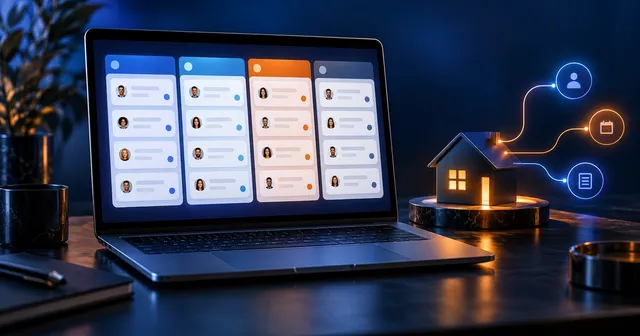
- Speed to lead is how fast you respond to a new lead, and it's one of the biggest factors in whether that lead becomes a client.
- In a Harvard Business Review study, companies that tried to contact leads within an hour were nearly 7 times as likely to qualify them as companies that waited longer.
- Aim to reply within 5 minutes, every time, including nights and weekends. Only automation makes that realistic.
- Good AI follow-up sounds like you, asks one useful question, and hands the conversation to a person at the right moment.
- The same system works in any industry: real estate, home services, med spas, coaches, agencies and more.
A new lead fills out your form at 8:12pm. You see it at 9:40 the next morning. By then they’ve talked to two of your competitors, and one of them already booked the appointment.
Most businesses don’t have a lead problem. They have a response-time problem. This guide covers how fast you need to respond, why it matters so much, and how to set up AI follow-up that replies in minutes and still sounds like you.
What is speed to lead?
Speed to lead is the time between a new lead coming in and your first real response to it. The faster you respond, the more likely you are to start a conversation and win the business, so the goal is a reply within 5 minutes, every time.
A “real response” means a message the lead can reply to, not an auto-receipt that says “we got your submission.” It should use their name, confirm what they asked about and invite them to answer.
How fast should you respond to a new lead?
The best-known research on this comes from a Harvard Business Review study that audited 2,241 U.S. companies by sending them web leads.
Only 37% of those companies responded within an hour. That’s the opportunity: most of your competitors are slow, so being fast is one of the easiest advantages you can build.
Our rule is simple: reply within 5 minutes, day or night. A person can’t do that consistently. A system can.
Why most businesses respond too slowly
- Leads come in from five places (website, ads, Google, social, calls) and land in different inboxes.
- Nobody owns the first reply, so everyone assumes someone else got it.
- Leads arrive after hours, on weekends or while you’re with a client.
- The “auto-reply” is a generic receipt that doesn’t start a conversation.
- Missed calls go to voicemail and never get a text back.
None of these are effort problems. They’re system problems, and they’re all fixable.
The 5-minute speed to lead system
This is the setup we use in our own business. It works with GoHighLevel, and the same steps apply to most CRMs.
- Put every lead source in one place. Website forms, ad forms, Google Business Profile messages, social DMs and calls should all create a contact in one CRM.
- Trigger an instant first reply. When a new lead arrives, send a personal text and email within seconds. Use their name and what they asked about.
- Ask one easy question. “Are you looking to buy in the next 3 months, or just starting to look?” One question gets more replies than five.
- Text back every missed call. If you can’t pick up, send an automatic text: “Sorry I missed you, how can I help?”
- Let AI handle the first conversation. An AI assistant answers common questions, qualifies the lead and offers times to book, using rules and wording you approve.
- Alert a person at the right moment. When the lead books, asks for a human or shows strong intent, notify you instantly by text or app.
- Follow up for weeks, not hours. Most leads aren’t ready today. Keep a helpful sequence running until they reply or opt out.
Collect clear permission to text on every form, register your number for A2P 10DLC texting, and honor STOP requests right away. Automated texting without consent can break the TCPA. This isn’t legal advice, so check your setup with your attorney.
How to set up speed to lead in GoHighLevel
GoHighLevel has everything this system needs in one account. Here’s how each step maps to a feature.
| Step | GoHighLevel feature |
|---|---|
| One place for every lead | Contacts, Conversations inbox, form and ad integrations |
| Instant first reply | Workflow triggered by “Form Submitted” or “Contact Created” |
| Missed-call text back | Missed Call Text Back setting |
| AI first conversation | Conversation AI, with your rules and FAQs |
| Booking | Calendars with a booking link inside the reply |
| Alert a person | Internal notification actions in the workflow |
| Long-term follow-up | Workflow sequences with wait steps and stop-on-reply |
If you don’t have GoHighLevel yet, you can start a 30-day free trial here (affiliate link). Already on GoHighLevel? You can upgrade your plan through our link. We earn a commission if you sign up through our link, at no extra cost to you. Read our affiliate disclosure.
Real estate agent? You don’t have to build this from scratch. The Real Estate Snapshot installs these workflows for you.
RelatedGoHighLevel for Real Estate: What the Real Estate Snapshot DoesRead the guide →How to make AI follow-up sound like you
The fastest way to lose a lead is a reply that sounds like a robot. Three rules keep AI follow-up human:
- Train it on your real messages. Give the AI 10 to 20 texts and emails you’ve actually sent, so it learns your tone.
- Keep the first message short. Under 300 characters, one question, no links unless they asked for one.
- Set clear handoff rules. Price questions, complaints and “can I talk to someone?” go straight to you.
Here’s a first text that works in almost any business:
Hi Sarah, this is Jacob with Hi5. Got your note about a website refresh. Are you hoping to launch in the next 30 days, or still exploring?
Example first reply
Speed to lead examples by industry
| Industry | Typical lead | Good first question |
|---|---|---|
| Real estate | Home value or listing inquiry | “Are you thinking of selling in the next 3 to 6 months?” |
| Home services | Quote request | “Is this urgent, or can it wait until next week?” |
| Med spa or clinic | Treatment inquiry | “Have you had this treatment before?” |
| Coaching or consulting | Discovery form | “What’s the one result you want in the next 90 days?” |
| Marketing agency | Proposal request | “What’s working for you right now, and what isn’t?” |
The system is the same everywhere. Only the question changes.
How to measure your speed to lead
Track three numbers every week:
- Median first-response time: goal under 5 minutes.
- Reply rate: the percent of new leads who answer your first message.
- Booked rate: the percent of new leads who book a call or appointment.
If your response time is fast but replies are low, rewrite the first message. If replies are good but bookings are low, look at your booking step. Results vary by industry and lead source, so compare against your own numbers month to month.
Set it up once and stop losing leads
Speed to lead is one of the highest-return fixes in any business, because it turns leads you already paid for into conversations.
- Want to build it yourself? Start a 30-day free trial of GoHighLevel (affiliate link) and follow the steps above.
- Real estate agent? Join Real Estate OS and build your AI follow-up with us, live, in the 90-Day Live Bootcamp.
- Want it done for you? Book a consultation to learn more about our services.
Frequently asked questions
What is speed to lead?
Speed to lead is the time between a new lead coming in and your first real response. The shorter it is, the more likely you are to start a conversation and win the business.
How fast should you respond to a new lead?
Within 5 minutes is the goal, and within an hour at the latest. A Harvard Business Review study found companies that tried to reach leads within an hour were nearly 7 times as likely to qualify them as those that waited longer.
Can AI respond to leads for my business?
Yes. AI can send an instant, personal first reply by text or email, ask a qualifying question, answer common questions and book an appointment, then hand off to you. You set the rules and approve the messages it uses.
How do I set up speed to lead in GoHighLevel?
Create a workflow that triggers when a form is submitted or a new contact is created, send an instant text and email, notify yourself, and turn on Missed Call Text Back. You can add Conversation AI to handle replies and booking.
What should my first text to a new lead say?
Use their name, say who you are, confirm what they asked about, and ask one easy question. Keep it under 300 characters and make it sound like a person, not a template.
Is it legal to text new leads automatically?
Only with consent. Collect permission to text on your forms, register your business number for A2P 10DLC texting, honor STOP requests, and follow the TCPA and your local rules. This isn't legal advice, so check with your attorney.
What is a good lead response time for real estate agents?
The same rule applies: reply within 5 minutes. Buyers and sellers often contact several agents at once, and the first one to start a real conversation usually gets the appointment.
Does speed to lead work for small businesses and solo owners?
It matters even more for them, because a solo owner can't watch their phone all day. Automation answers instantly while you're working, then brings you in when the lead is ready to talk.

Founder of Hi5 Success and Hi5 Biz Solutions. 19+ years in marketing, 15+ running his own agency, and a licensed REALTOR® who runs his business on GoHighLevel and Claude every day. Read Jacob's story